In the world of automated software delivery, the GitLab Runner setup is the actual "boots on the ground" where your code meets the hardware. While the GitLab interface provides the orchestration, the runner performs the heavy lifting compiling, testing, and deploying. However, for many DevOps teams, managing these runners is a source of constant "maintenance toil." Understanding the fundamental mechanics of a self-hosted GitLab runner is the first step toward reclaiming your team's time and budget.
1. What Is a GitLab Runner?
A GitLab Runner is a lightweight, open-source application that polls your GitLab instance for pending jobs. When it finds a job that matches its "Tags," it creates an environment (the Executor) and runs the scripts defined in your .gitlab-ci.yml. It’s essentially a bridge that translates your YAML instructions into machine execution.
2. Shared vs. Specific Runners: Choosing Your Isolation
- Shared Runners: These are available to every project in a GitLab instance. While convenient for generic tasks, they often lead to "queue jumping" and performance degradation during peak hours.
- Specific Runners: These are dedicated to a single project or group. They are essential when you need specialized hardware (like GPU or ARM64), a Static IP address for secure deployments, or high-performance throughput that shared pools can't guarantee.
3. Self-Hosted vs. Managed: The Hidden Costs
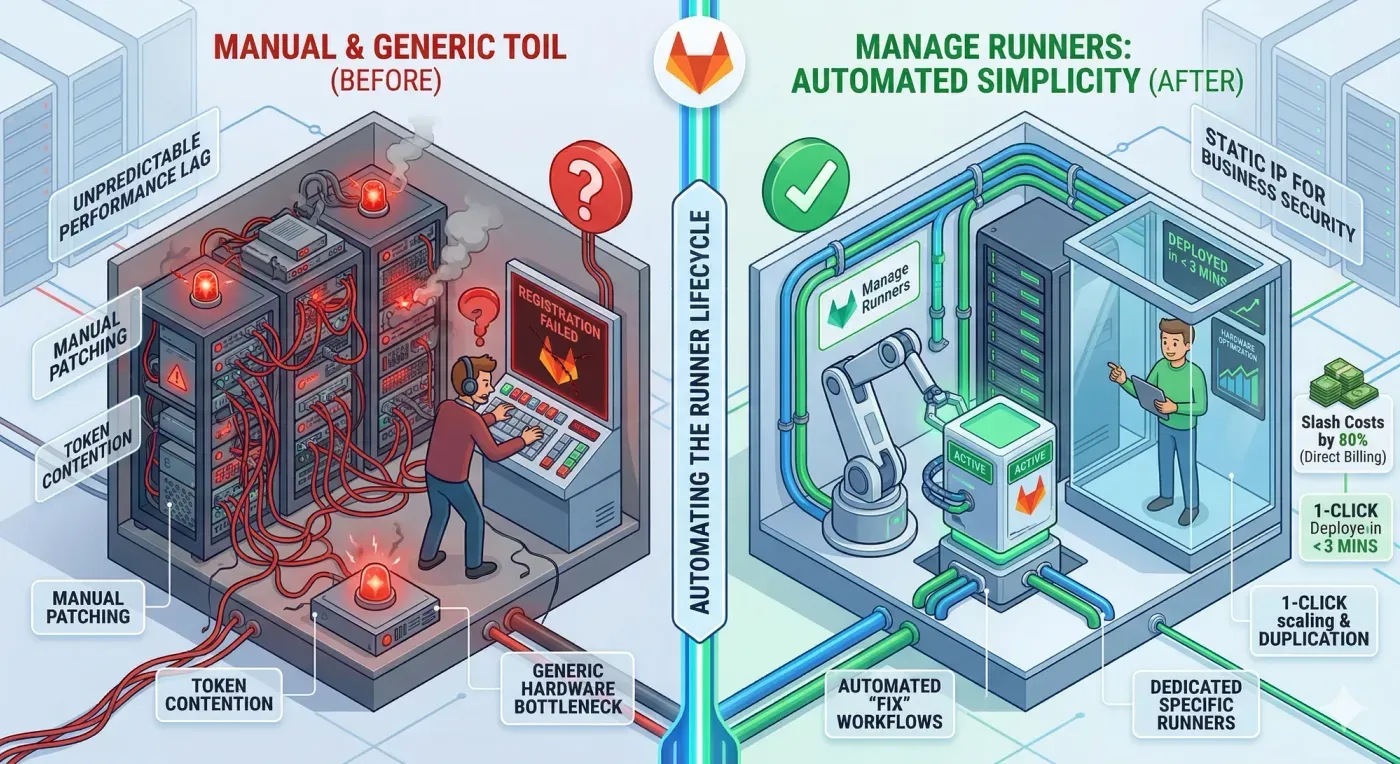
When you use "Managed" runners from a SaaS provider, you are paying for convenience with a massive enterprise markup. Conversely, a traditional self-hosted GitLab runner on raw compute like Hetzner Cloud offers the best performance-per-dollar, but it usually requires:
- Manual SSH configuration and security hardening.
- Fragmented management of GitLab tokens.
- Continuous patching and version updates.
4. Common Problems and the "Fix" Workflow
Infrastructure failure is inevitable. Common issues include runner registration timeouts, expired registration tokens, and disk space exhaustion on the host VM. Manage Runners eliminates these headaches through:
- Automated "Fix" Workflows: If a runner fails, our dashboard provides guided workflows to redeploy and re-validate tokens instantly.
- 1-Click Duplication: Scaling your fleet shouldn't involve rewriting scripts. Duplicate your entire runner configuration labels, firewalls, and hardware specs with one click.
5. Why Manage Runners is the Gold Standard
Manage Runners provides the ease of a managed service with the low-cost benefits of a self-hosted GitLab runner. By automating the deployment on your own Hetzner account, you gain:
- Setup in < 3 mins: Go from an empty project to an active runner faster than a coffee break.
- Static IP Security: Use your runner’s static IP to restrict your internal resource access, ensuring secure remote access remains a standard.
Ready to stop the maintenance toil and start scaling? Don't let manual server configuration slow down your development. Experience the perfect balance of self-hosted performance and managed simplicity.