In the 2026 cybersecurity landscape, the CI/CD pipeline is often the most targeted entry point for supply chain attacks. For DevOps teams, network security monitoring is no longer just about watching traffic, it's about defining exactly where that traffic originates. By implementing a rigorous access control policy through static IP addresses, organizations can bridge the gap between rapid software delivery and uncompromising infrastructure security. Leveraging Manage Runners on Hetzner Cloud allows teams to automate this security layer, ensuring every build runner is a known, verifiable entity within their secure perimeter.
1. The Insecurity of Dynamic Build Environments
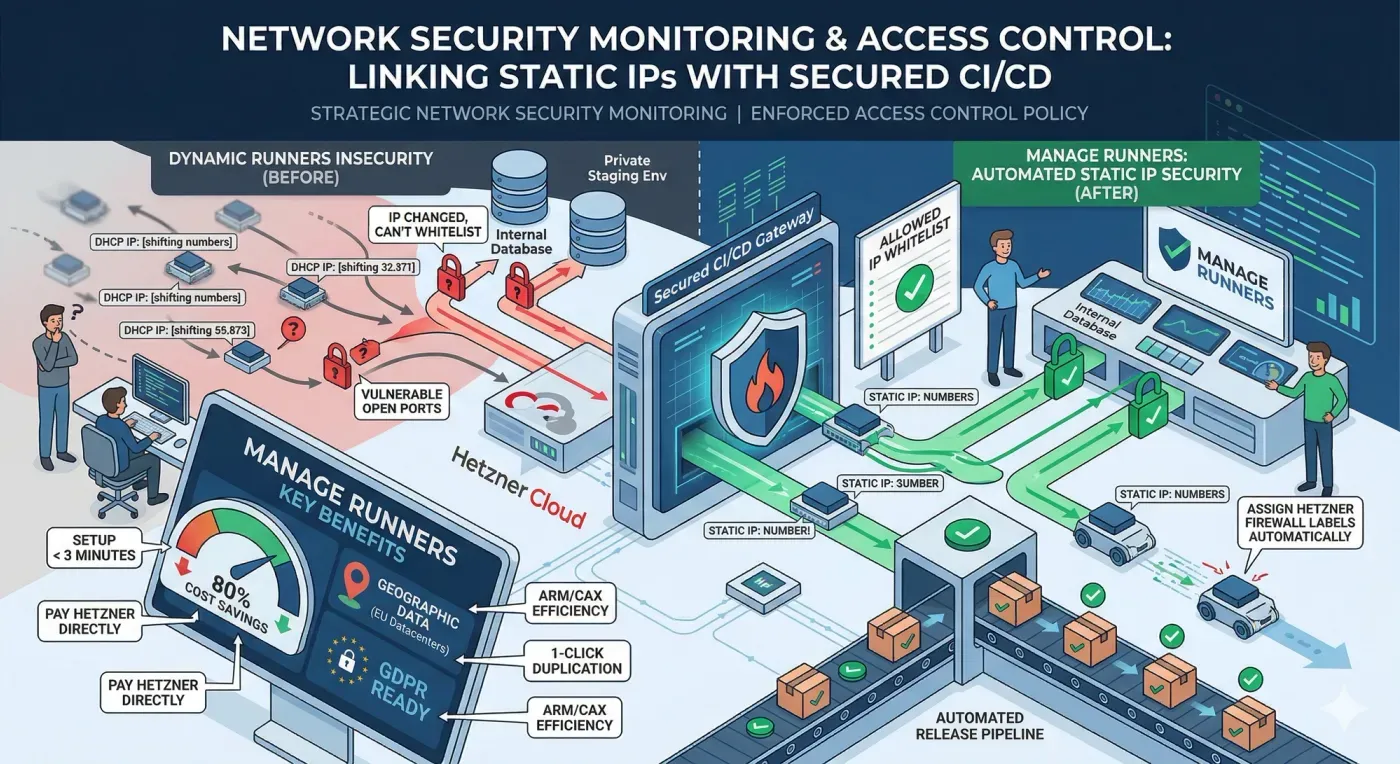
Most managed CI/CD services utilize a pool of shared, dynamic IP addresses. From a network security monitoring perspective, this is a nightmare. When your runners change IPs constantly, you cannot effectively whitelist them to access protected resources like internal databases, staging environments, or private container registries. This "open-door" approach forces teams to either leave their internal resources vulnerable to the public internet or manually update firewall rules every time a pipeline runs a process that is both slow and prone to human error.
2. Why Weak Access Control Invites Disaster
Without a stable identity for your runners, your access control policy becomes diluted and ineffective.
- Blind Spots: Security teams cannot distinguish between legitimate build traffic and potential lateral movement from an attacker.
- Compliance Failure: GDPR and SOC2 auditors require clear proof of who (or what) is accessing production data. Dynamic, untraceable IPs fail this test.
- Increased Attack Surface: To keep pipelines running, engineers often resort to "allowing all" traffic on port 22 or 5432, creating a massive security hole.
- Operational Friction: The "fix" usually involves manual SSH intervention, which interrupts the automated release flow.
3. Manage Runners and Deterministic Security
Manage Runners solves the identity crisis of the CI/CD pipeline. By deploying GitLab runners on your own Hetzner Cloud account through our automated platform, every runner is assigned a visible, static IPv4 and IPv6 address.
This allows you to treat your runners as permanent parts of your secure architecture. You can now define a strict access control policy that only permits traffic from your specific runner's IP, effectively locking down your infrastructure while maintaining full automation.
4. Technical Integration: Automated Firewalls and Static IPs
Manage Runners doesn't just give you an IP; it integrates directly with Hetzner’s security stack to automate your defense.
- Hetzner Firewall Labels: Automatically assign firewalls to your runner VMs by assigning Hetzner Labels during the creation process.
- Zero-Access Architecture: Manage Runners does not have SSH access to your VMs. You maintain total sovereignty over your build environment.
- Infrastructure as Code: Define your security specs once and use 1-click duplication to scale your secure fleet in under 3 minutes.
5. Implementation Example: Secure Database Access
By using a static IP provided by Manage Runners, you can restrict access to sensitive resources directly in your cloud firewall or security groups.
# Example: Enforcing Access Control Policy in your CI/CD Pipeline
deploy_to_staging:
stage: deploy
tags:
- hetzner-static-ip-runner # IP: 123.45.67.89
script:
# This runner is the ONLY external IP allowed to connect to the DB
- psql -h staging-db.internal -U deploy_user -d production_sync -f migration.sql
6. Comparison: Security and Efficiency
To achieve a resilient access control policy, the transition from manual infrastructure to an automated control plane is essential. When teams manage runners manually, they often sacrifice network security monitoring for the sake of speed, leaving ports open or relying on shifting IP ranges that are impossible to whitelist.
Manage Runners redefines this dynamic by making deterministic security the default state. Instead of spending hours configuring SSH keys or updating firewall rules across multiple Hetzner VMs, our platform automates these security milestones. Each runner is provisioned with a stable static IP and pre-configured firewall labels, ensuring that your access control policy is enforced the moment the runner goes live. By removing the need for manual "fix-it" sessions and SSH tunneling, Manage Runners allows you to scale your build fleet securely while maintaining total oversight of every connection attempt within your environment.
7. Conclusion: Strengthening Your Security Posture
Modernizing your network security monitoring starts with knowing your infrastructure. By moving your build fleet to Manage Runners on Hetzner Cloud, you eliminate the "ghost traffic" of dynamic IPs and enforce a professional-grade access control policy. You gain the performance of dedicated hardware (like the ARM64 CAX line) with the security of a private, static network.
Ready to secure your pipeline and reclaim 80% of your CI/CD costs? Start your Cloud Automation journey with Manage Runners today and bring industrial-grade security to your DevOps environment.