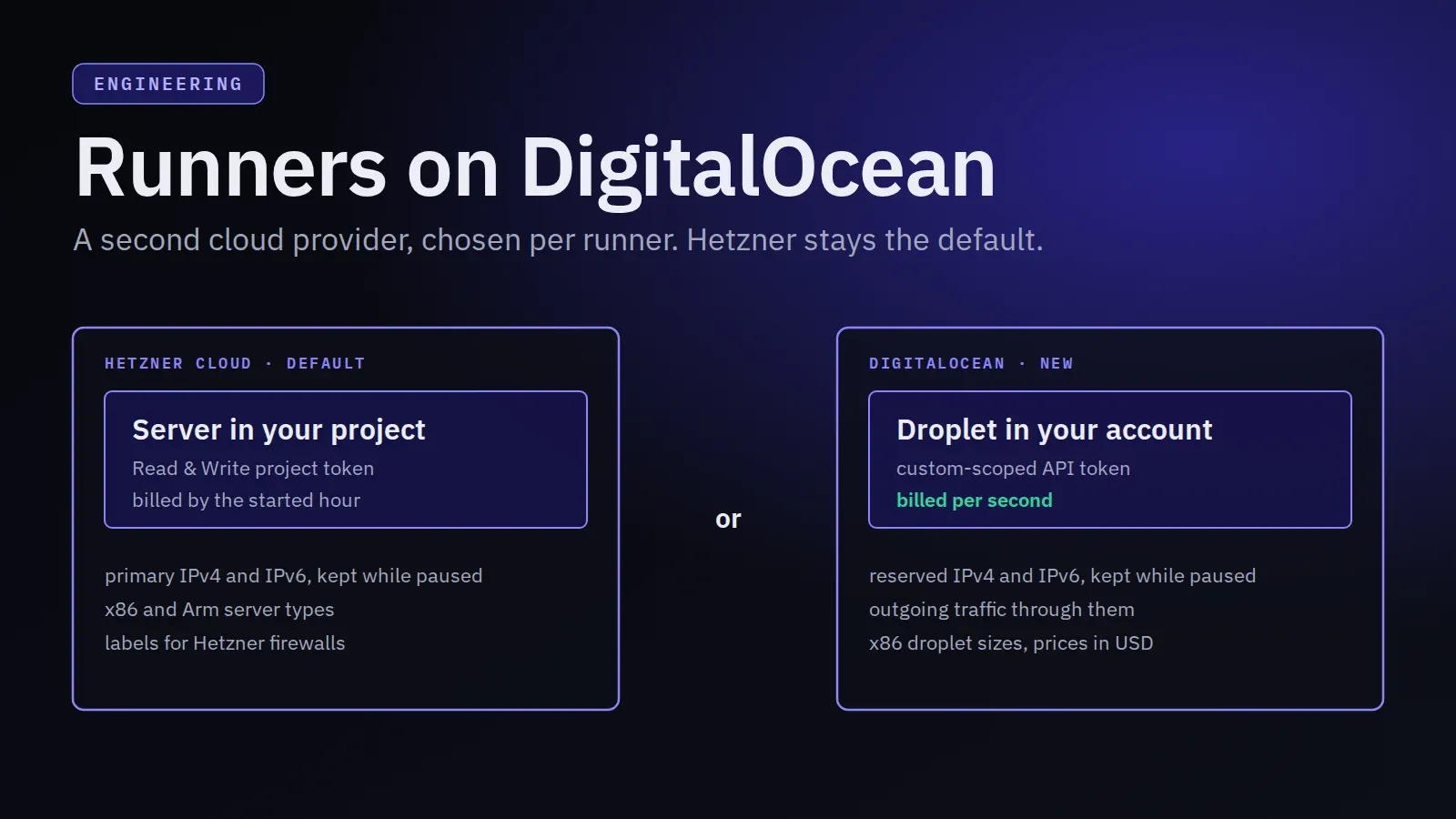
Manage Runners can now run your GitLab and GitHub Actions runners on DigitalOcean. A runner becomes a droplet in your own DigitalOcean account, created with an API token you give us, and DigitalOcean bills it to you directly, like Hetzner does for servers in your Hetzner project.
Hetzner Cloud stays the default. DigitalOcean is a second provider you choose per runner: some teams already have their infrastructure and billing there, and others want its regions or its per-second billing. Everything else works the same way on both: the dashboard, the CLI, the MCP server, schedules, autoscaling, metrics and caches.
What is new
- A Cloud provider choice on the Create Runner form, on the autoscaling page and on the page your AI assistant links to for a new runner. It appears next to Hetzner when DigitalOcean is offered.
- DigitalOcean droplet sizes in the product list, with a
do-prefix such asdo-s-2vcpu-4gb: the Basic, General Purpose and CPU-Optimized sizes with at least 1 GB of memory, with DigitalOcean’s monthly net list prices in USD. - Twelve regions in ten cities: Amsterdam, Frankfurt, London, New York (two), San Francisco (two), Atlanta, Toronto, Singapore, Bangalore and Sydney. Not every size is offered in every region.
- The provider on every runner card, so you can tell your Hetzner and DigitalOcean runners apart.
How to use it
First, create a DigitalOcean personal access token with the twelve custom scopes listed in DigitalOcean setup, so it can do only what runners need. If you want to log in to your runners, add your SSH key to the account under Settings > Security too.
In the dashboard, select Create Runner, choose DigitalOcean under Cloud provider, pick a size and region, and paste the token into DigitalOcean API Token. The form checks the token and lists the account’s SSH keys, as it does for Hetzner.
With the CLI, update to 1.9.0 or later and pass --provider digitalocean with the token in an environment variable:
manage-runners provider digitalocean ssh-keys --token-env DIGITALOCEAN_TOKEN
manage-runners runner create --provider digitalocean --name do-builder \
  --product-id do-s-2vcpu-4gb --location fra1 --executor docker --concurrency 2 \
  --gitlab-host https://gitlab.com/ --runner-token-env GLRT_TOKEN \
  --provider-token-env DIGITALOCEAN_TOKEN --wait
Older CLI versions can’t read the product list once it includes DigitalOcean’s sizes, so product list fails on them; manage-runners self-update brings you to the current release.
With your AI assistant, ask for a runner on DigitalOcean. The create_runner tool takes the provider digitalocean with a size and region from list_products, and, as for every new runner, you enter the tokens on a dashboard page, never in the chat.
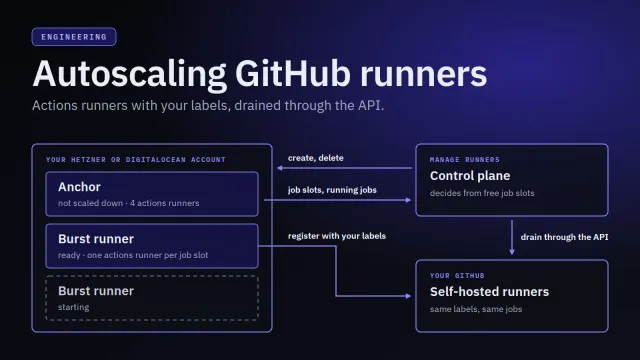
Autoscaling works across providers. On a runner’s autoscaling page you can keep burst runners on the runner’s own provider, where they copy the runner, or put them on the other one, for example DigitalOcean burst runners for a Hetzner runner. For the other provider you choose the burst runners’ size, region, token and SSH keys; everything else comes from the runner.
What differs from Hetzner
| Hetzner Cloud | DigitalOcean | |
|---|---|---|
| A runner is | a server in your project | a droplet in your account |
| API token | Read & Write token of the project | personal access token with custom scopes |
| Billing | by the started hour, up to the monthly price | per second, at least 60 seconds, up to the monthly price |
| Public addresses | primary IPv4 and IPv6, kept while paused | reserved IPv4 and IPv6, kept while paused; outgoing traffic leaves through them |
| Paused runner | Hetzner may charge for the kept addresses | the unassigned reserved IPv4 costs USD 5 a month |
| CPUs | x86 and Arm | x86 only |
| Labels | become server labels, usable by firewalls | not put on droplets |
| Prices in the dashboard | in the currency of our Hetzner account | in USD |
Two of these change how a runner behaves.
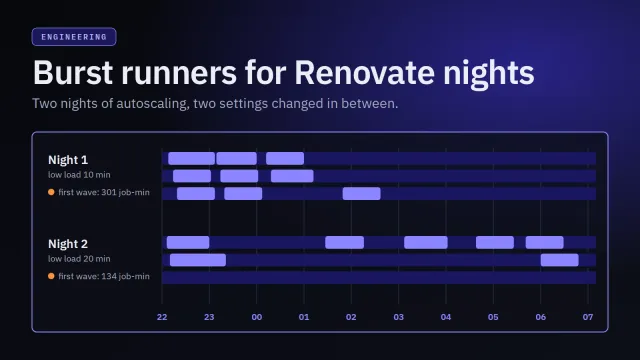
Burst runners leave sooner. A Hetzner burst runner is removed only in the last 15 minutes of its paid hour; a DigitalOcean one as soon as the load has been low for the policy’s Remove after low load time. See billing-aware scale-in.
Addresses are reserved IPs. A droplet’s own address changes whenever a pause and resume replaces it, so the droplet routes its outgoing traffic through the runner’s reserved IPs before it registers with GitLab or GitHub. Allow lists that name a runner’s addresses keep working across pause and resume, as on Hetzner. Outbound traffic explains the details.
Limitations
- No firewall by label. Runner labels are not put on droplets, so a DigitalOcean cloud firewall can’t select your runners by one of them, and Manage Runners creates no firewall. A runner’s SSH port is open; only
rootcan log in, with one of the keys you selected, and fail2ban blocks repeated failures. - Account limits. Every runner, including every burst runner, needs a droplet, a reserved IPv4 and a reserved IPv6. New DigitalOcean accounts have small droplet limits and, by default, may reserve only three IPs. Ask DigitalOcean to raise them before you create several runners or allow many burst runners. When a limit is hit, Manage Runners shows DigitalOcean’s message with a hint; see account limits.
- Slow IPv4 release. For some minutes after a droplet is deleted, DigitalOcean may not release its reserved IPv4. Deleting a paused runner is then refused until it has, and you delete it again a few minutes later.
- The provider is fixed. A runner can’t move between Hetzner and DigitalOcean, just as it can’t change its location. Create a new runner on the other provider instead.
The DigitalOcean setup page covers the token, what Manage Runners creates in your account, SSH keys, billing and limits. If something doesn’t work, start with troubleshooting.